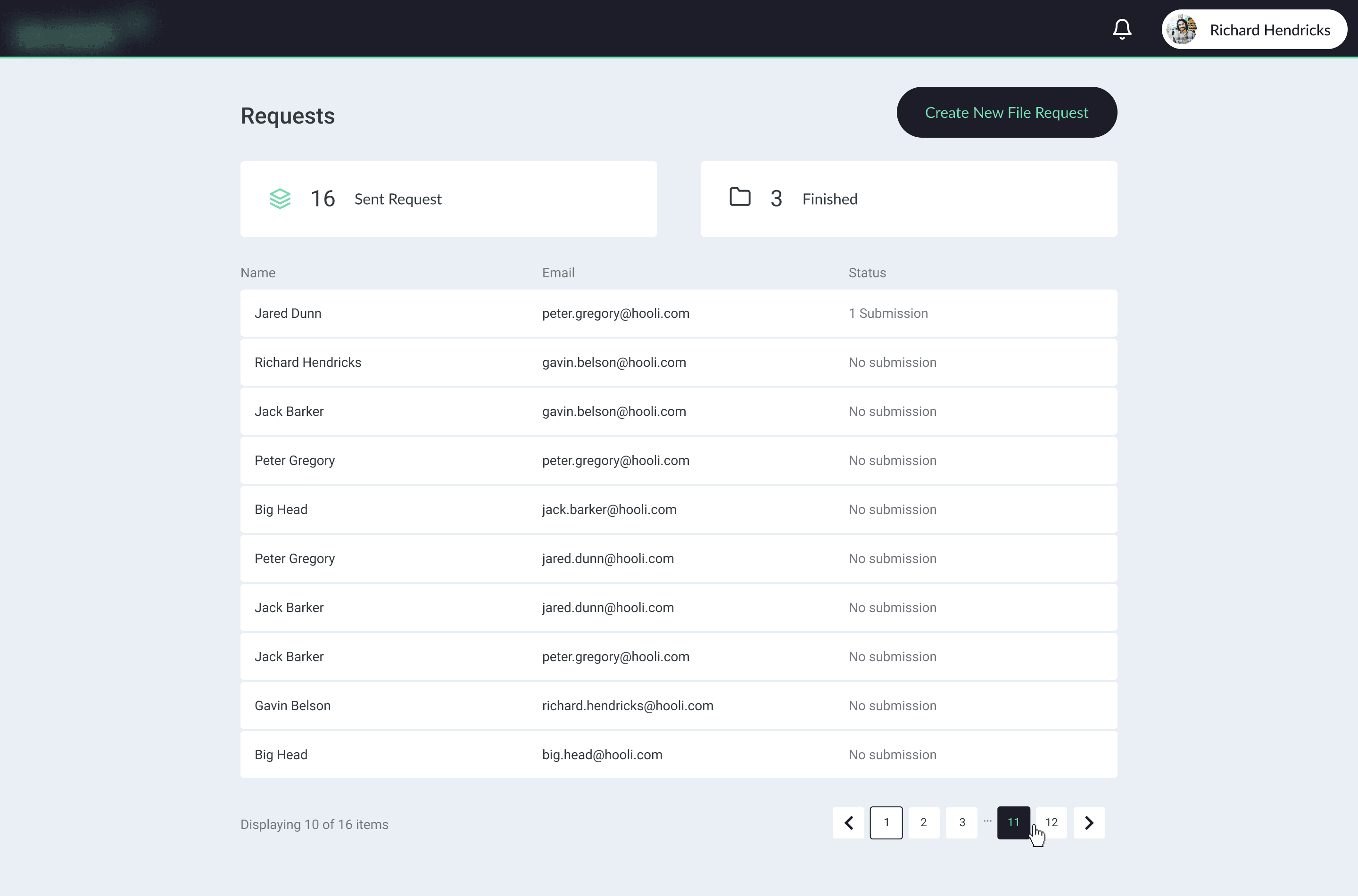
File Request Web App
Designing a secure file-sharing experience for support teams and customers
Overview
Customers sometimes needed to share large files with the Technical Support team. Email attachment limits made this difficult, while using third-party file-transfer services could create security and privacy concerns.
The Product Manager brought this business need to the team. My role was to turn it into a clear and practical product experience for both Technical Support agents and customers.
I worked with the PM, Tech Lead, full-stack developers, and Technical Support team throughout the design process—from defining the workflow to creating the final UI, validating the prototype, and preparing the design for development.
Role: Product Designer
Scope: End-to-end product design
Team: Product Manager, Tech Lead, full-stack developers, and Technical Support team
Responsibilities: Research, user flows, wireframes, UI design, prototyping, user validation, iteration, and handoff
Problem & Goal
The Problem
Customers needed a secure way to share large files with the Technical Support team.
Email attachment limits made large file transfers difficult. Using third-party services could introduce security and privacy concerns, especially when files contained sensitive information.
The solution needed to support two connected experiences:
Technical Support agents needed to create, manage, and track file requests.
Customers needed a simple and clear way to upload requested files.
The workflow also needed to support different operational scenarios. Some requests could be connected to Zendesk, while others could move forward without it.
The Goal
Create a secure and easy-to-use file-sharing workflow that:
Reduced friction for customers uploading files
Helped support agents create and manage requests
Provided clear upload and completion feedback
Supported both Zendesk and non-Zendesk workflows
Could be implemented by the existing full-stack engineering team
Research & Discovery
Understanding the Existing Process
I discussed requirements, support processes, and possible edge cases with the PM, Tech Lead, and Technical Support stakeholders.
These conversations helped clarify:
How support agents currently requested files
What information agents needed to track each request
How customers would enter the upload flow
Which parts of the workflow depended on Zendesk
Which scenarios needed to work independently from Zendesk
Reviewing Existing Patterns
I reviewed similar products and file-upload experiences to understand common patterns for:
Creating and managing file requests
Uploading large files
Drag-and-drop interactions
Upload progress feedback
Success and completion states
The research helped inform the initial workflow and interaction decisions.
Define & Prioritize
Mapping the User Flows
Based on the findings, I mapped the main journeys for both user groups.
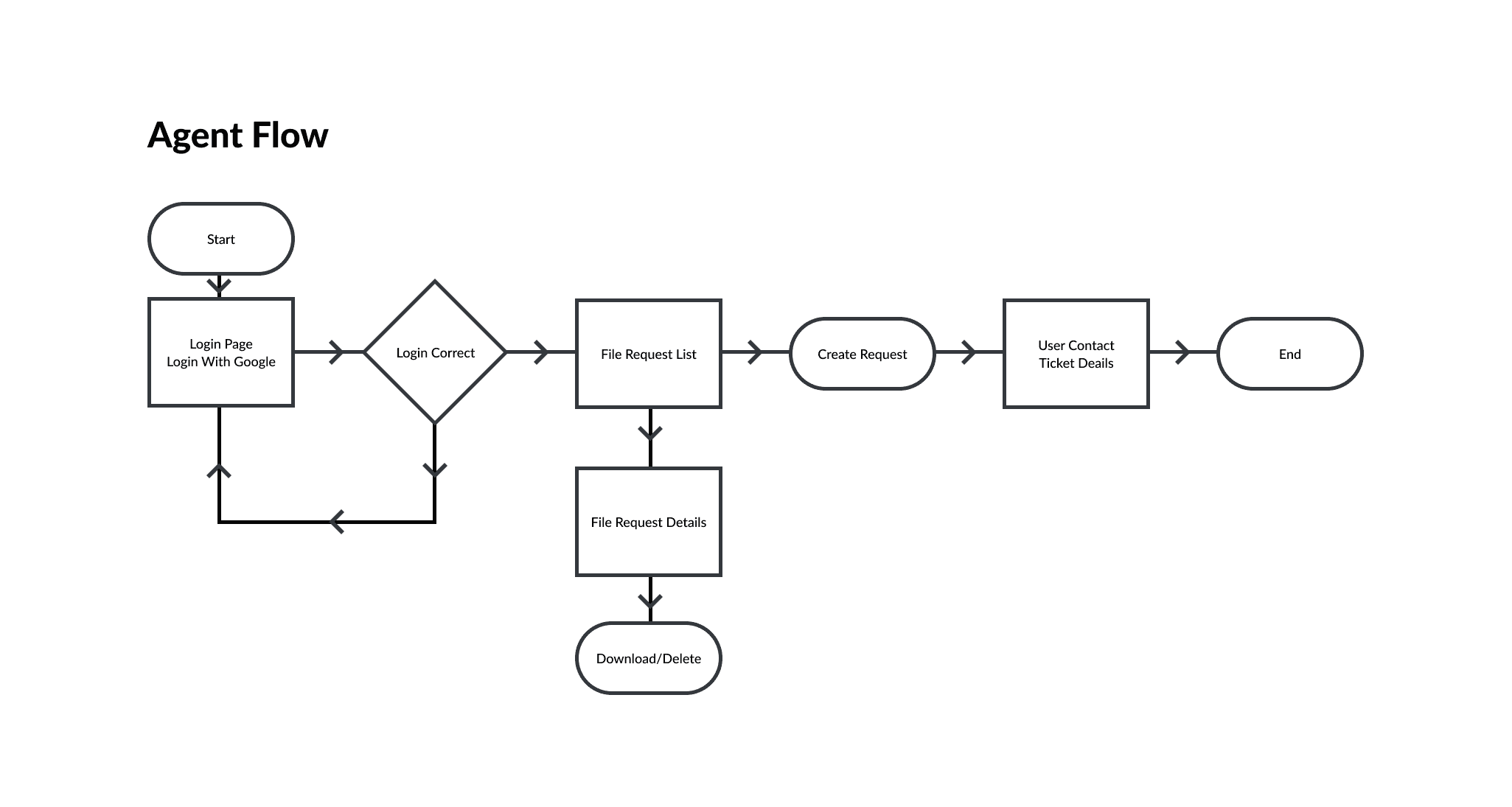
Support Agent Flow
Create a request → Share the request → Track request status → Access uploaded files
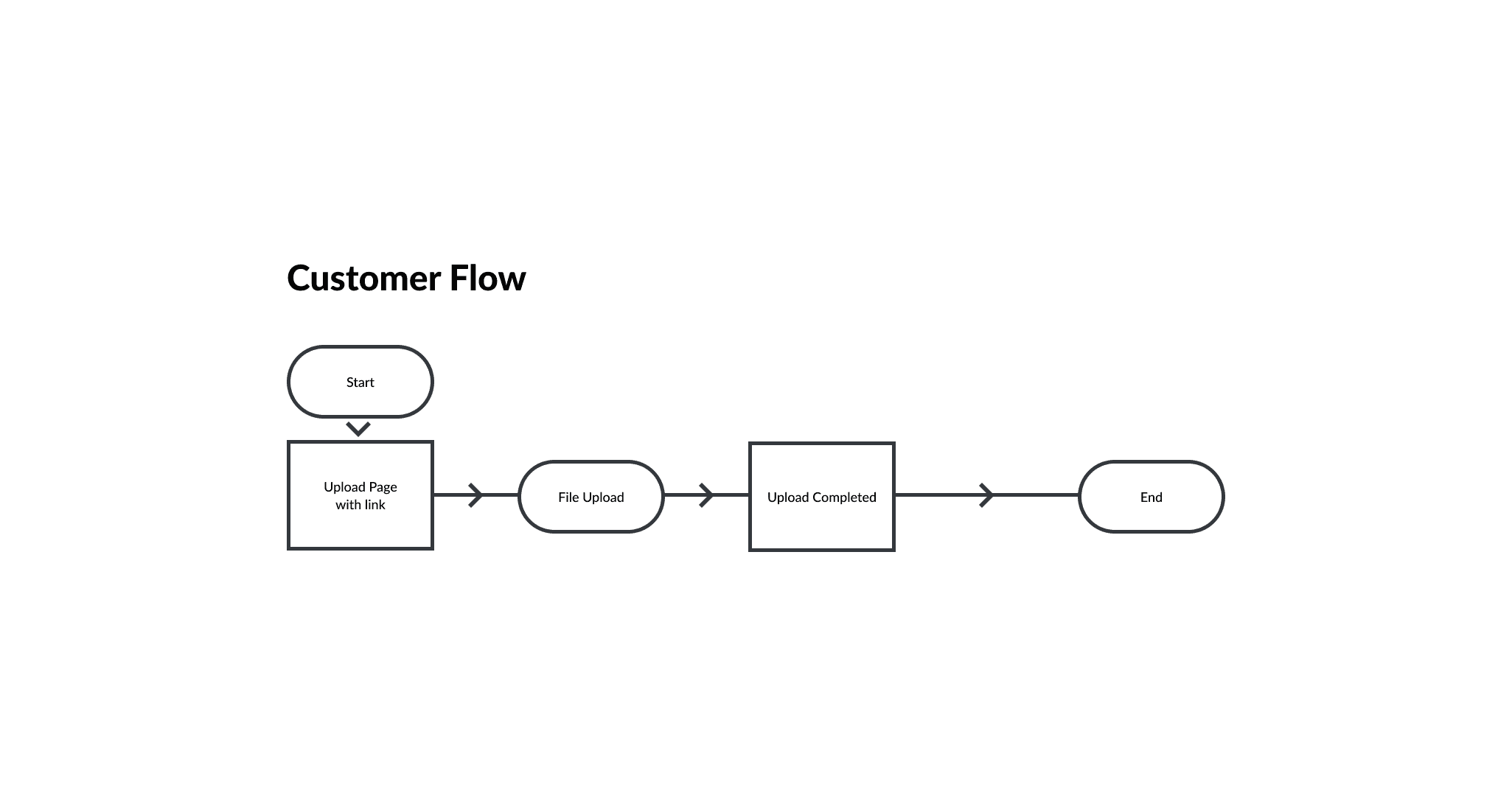
Customer Flow
Open the request → Select or drag and drop files → Review upload progress → Receive completion feedback
Aligning the Core Experience
I worked with the PM, Tech Lead, and engineering team to prioritize the essential flows and align on the technical approach.
Before moving into detailed UI design, we reviewed the proposed workflow together to make sure the solution addressed the product need and could be implemented within the available technical setup.
Ideation & Design
From Low-Fidelity Screens to Final UI
I first created low-fidelity screens to define the structure, information hierarchy, and key states.
After aligning on the design direction with stakeholders, I developed the concept and expanded it into the final interface.
The final experience included:
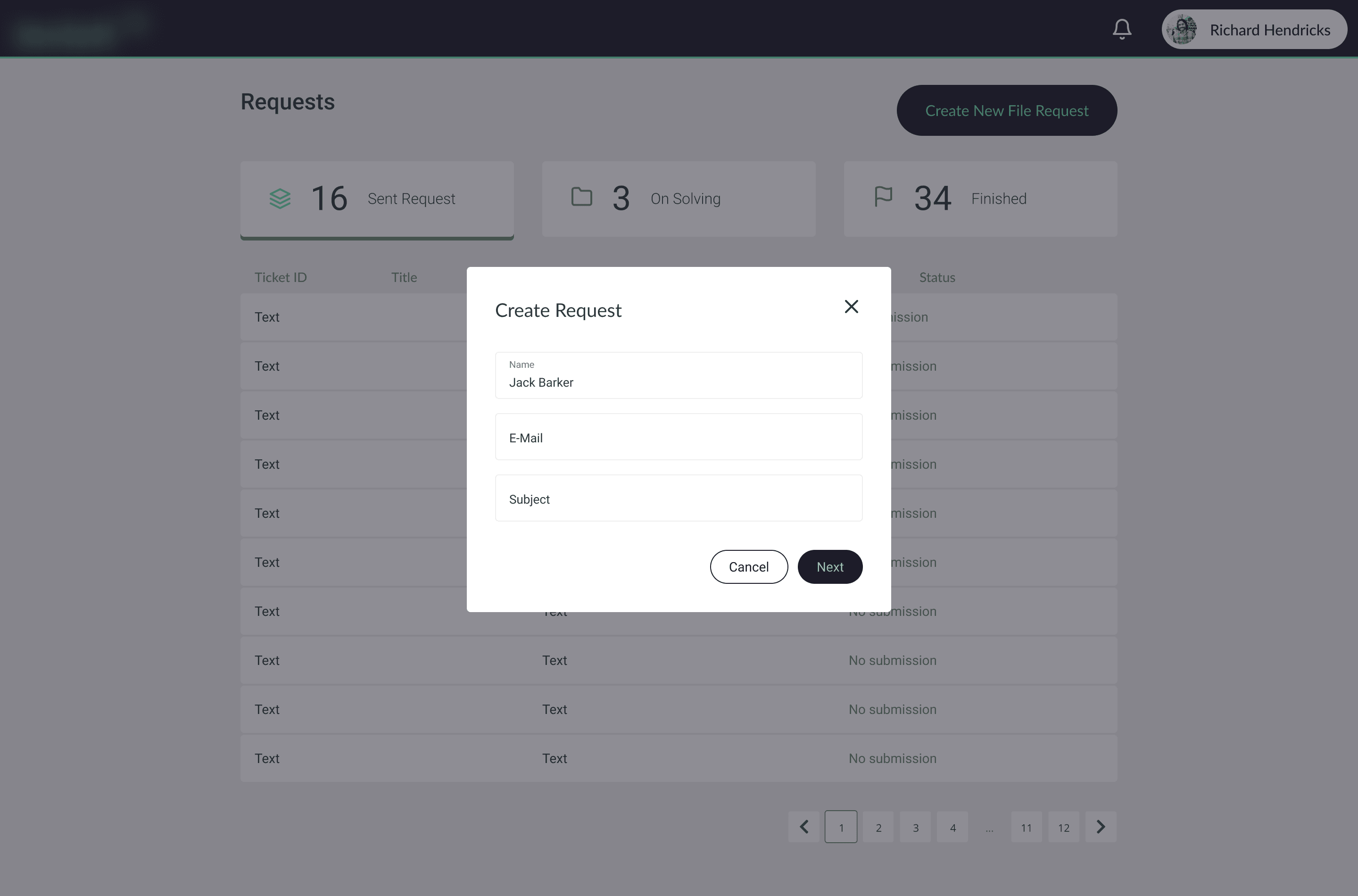
A request-management area for Technical Support agents
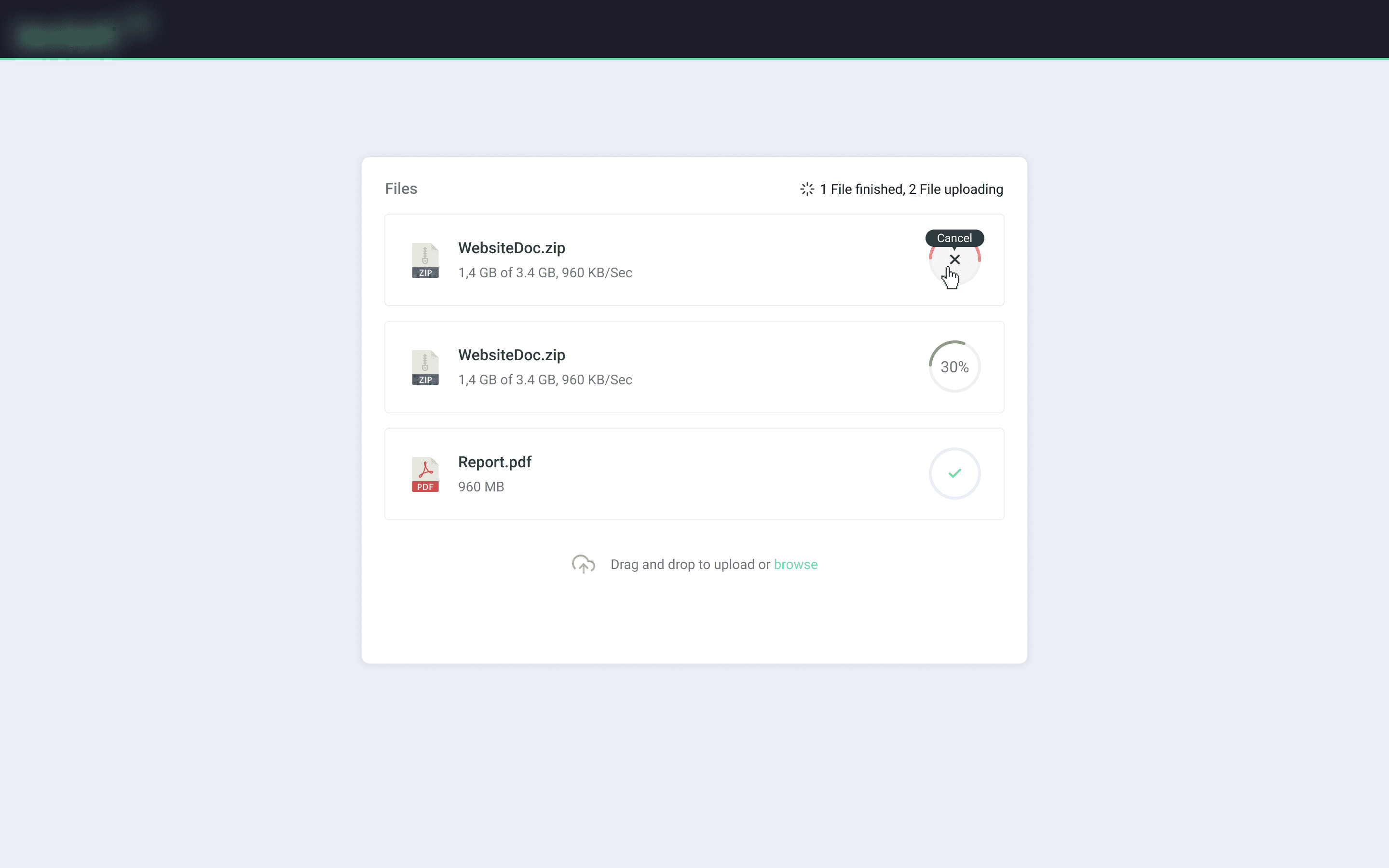
A guided upload flow for customers
Drag-and-drop file upload
Upload progress and completion states
Request status tracking
Email notifications connected to the relevant request
Building Reusable UI
As the concept developed, I added reusable components, typography rules, and interaction states to the design library.
I also defined different UI states—including success, progress, and other possible scenarios—to support consistency across the experience.
Supporting Implementation
There was no dedicated frontend team at the time, and the interface was implemented by full-stack developers.
For interaction-heavy details, I provided additional references beyond static UI screens. For example, I reviewed working drag-and-drop examples to help communicate how the upload interaction should behave.
This made the intended behavior clearer and supported a more consistent implementation.
Testing & Improvement
Validating with Technical Support Users
I created an interactive prototype and reviewed it online with Technical Support team members who would use the Agent experience.
The sessions helped validate whether the workflow matched real support scenarios and revealed areas where the experience could be simplified.
Simplifying the Request-Creation Flow
In the initial concept, I included a Zendesk Task ID in the request-creation flow to make request tracking easier.
During the sessions, the Technical Support team explained that some requests could move forward without Zendesk. Keeping the field could create confusion and make Zendesk appear mandatory.
Based on this feedback, I removed the Zendesk Task ID from the request-creation flow.
This made the experience simpler and allowed it to support both Zendesk and non-Zendesk workflows more naturally.
Final Design & Outcome
A Connected Experience for Agents and Customers
The final design connected the internal support workflow with a simple customer upload experience.
The solution covered the full journey:
Agent creates a request → Customer receives the request → Customer uploads files → Agent tracks and accesses the uploaded files
The final UI and interactive prototype were reviewed with the PM, Tech Lead, and engineering team. After the final revisions, the design was prepared for development handoff.
Outcome
The design provided:
A structured way for support agents to create and manage file requests
A clear upload experience for customers
Consistent progress and completion feedback
A workflow that supported both Zendesk and non-Zendesk scenarios
A validated foundation for implementation
Post-launch metrics were not available, so the impact could not be measured quantitatively.
What I Learned
This project showed me the importance of validating design assumptions with the people who would use the product.
The Zendesk Task ID initially seemed useful because it could make request tracking easier. However, feedback from the Technical Support team showed that it did not fit every operational scenario.
Removing it made the workflow simpler and more flexible.
The project also reinforced the value of working closely with engineering early in the process. Aligning on workflows and interaction details before handoff helped make the final design clearer and more practical to implement.